Build Your FNAF Pizzeria Planning Tools & Checklists
Textual tools for maze planning, cash efficiency, and tracking your pizzeria progress without shady executors.
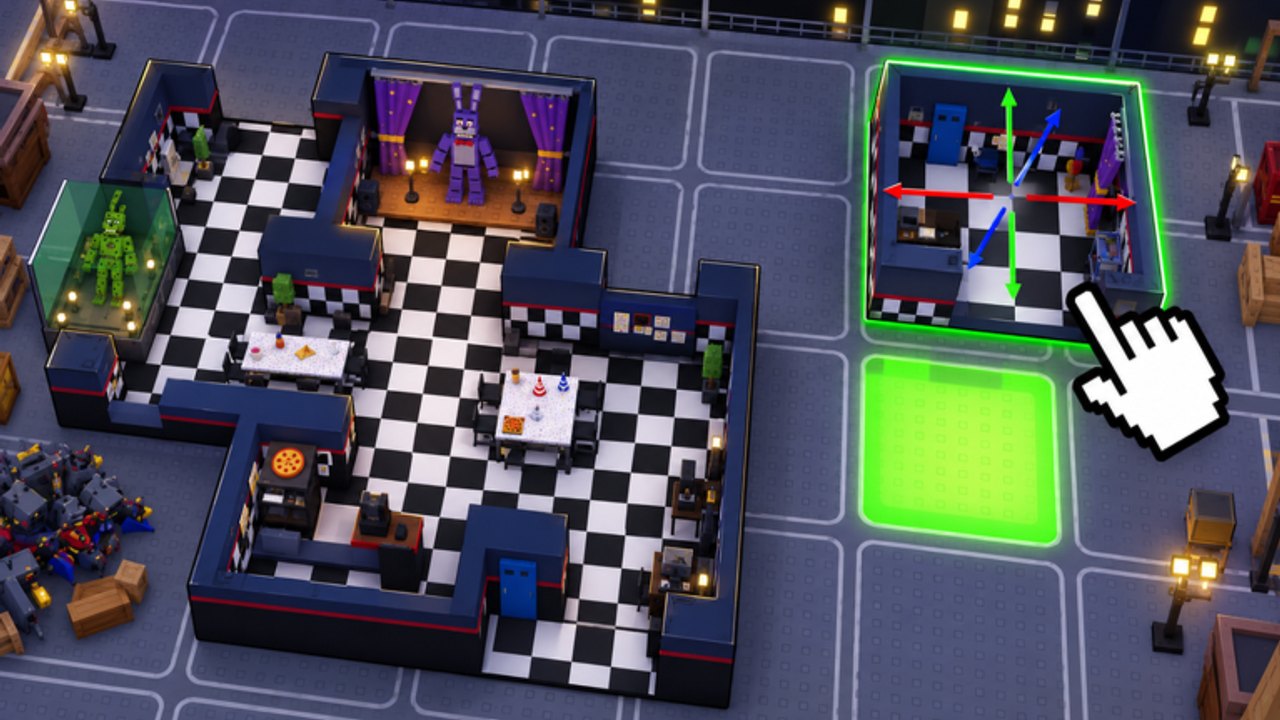
The Tools Hub gives you lightweight planning systems for Build Your FNAF Pizzeria — checklists, money-per-hour thinking, and progress tracking advice you can run in a notes app while you play. Nothing here injects into Roblox. If you want automation talk, read the warnings on the Scripts Hub first; these tools stay legitimate.
Featured tool page
Maze Planning Checklist
Printable-style audit covering connectivity, slots filled, choke points, offline placement, Afton Studios group gates, and night prep. Copy it into notes and tick boxes only after you verify in-game. That child page is the detailed version of the summary checklist below.
Maze planning checklist (summary)
Print this mentally (or copy it) before you open the building shop:
- Goal for this session — Unlock +1 slot, fix a bypass path, or prep a night lobby break. One goal beats random decorating.
- Connectivity audit — Walk your maze. Is every income room actually connected, or did you leave orphan hallways?
- Slot count — Note current animatronic slots versus placed units. Empty slots are free money left on the table.
- Choke points — Mark tiles where visitors must pass. Those tiles get your best catchers (see Animatronics Guide).
- Bypass hunt — Invite a friend or alt mindset: can someone hug a wall and skip Freddy? Close that gap with a hallway piece.
- Expansion budget — Decide cash reserved for the next connected room before buying a prestige animatronic.
- Group gate check — Confirm Afton Studios membership if the next SKU requires it (Join Afton Studios).
- Explore reference — Visit one other player maze for layout ideas, then return and implement — do not copy dead-end spam (Explore Mazes).
Deep layout theory: How to Build a Maze. Full tick-box version: Maze Planning Checklist.
Money-per-hour tip sheet
Treat income like a simple rate problem.
Online hour
- Minutes 0–10: fix connectivity and fill empty slots.
- Minutes 10–40: place or reposition animatronics; watch a few visitor paths.
- Minutes 40–50: buy the next connected room if it unlocks a slot.
- Minutes 50–60: optional night lobby for variety (Night Survival).
Offline stretch
- Before quitting, ensure every slot has a unit on a forced path.
- Prefer coverage over one lonely S-tier mascot in a corner nobody walks.
- Remember: animatronics work offline — a clean layout beats staying AFK in a broken maze.
Spend discipline
- Rank buys with the Tier List Hub and Animatronics Tier Rankings.
- Codes, when they exist, are free rate spikes — Codes Hub.
- Avoid sinking cash into cosmetic rooms that add zero slots (Earn Money Fast).
Rough self-score after a session: Did my cash after offline time exceed the previous session’s offline haul? If not, connectivity or placement regressed.
Progress tracker advice
Create a tiny tracker (spreadsheet, notes, or scrap paper) with columns:
| Date | Connected rooms | Slots | Animatronics placed | Biggest bottleneck | Next purchase |
|---|---|---|---|---|---|
Update it when you finish a play session. Patterns appear fast: maybe you always stall on Chica’s price, or you keep building non-connected wings. Pair the tracker with roster names from the Players Hub so you remember which faces fill which slots.
Milestone ideas
- First connected room and first catch
- Three filled slots
- First group-gated unlock
- First full offline payout that funds a room without grinding
- First 6AM clear in a night lobby (Night Shift Update)
- Maze another player says “got me” while exploring
Celebrate milestones, then set the next row’s goal. The Getting Started guide covers early milestones; late ones lean on tier rankings. HUD confusion? Read Controls & UI.
Session templates
30-minute lunch break: Connectivity audit → fill slots → quit with offline catchers active.
60-minute evening: Explore two mazes → rebuild one choke → buy one slot unlock → one night attempt.
Weekend deep build: Full maze redesign, screenshot paths, update your tracker, re-check Updates Hub for patch surprises.
Anti-tool reminders
- No fake calculators that demand Discord logins.
- No executor “auto build” replacements for the checklist above.
- No paying for “secret money formulas” — the formula is slots × placement × visitor flow.
Related pages
- Maze Planning Checklist
- Guides Hub
- How to Build a Maze
- Earn Money Fast
- Explore Mazes
- Tier List Hub
- Codes Hub
- Scripts Hub
- Updates Hub
Use these tools every few sessions. Small honest checklists outperform flashy promises and keep your Build Your FNAF Pizzeria progressing after every afton studio patch.
Frequently Asked Questions
Quick answers about mazes, money, animatronics, and nights.
Are these in-game tools or external apps?
They are textual checklists and trackers you run yourself. Nothing here injects into Roblox or requires an executor.
What should I track each session?
Connected rooms, animatronic slots, units placed, your biggest bottleneck, and the next planned purchase.
How do I estimate money per hour?
Compare cash gained over timed online blocks and over offline stretches after optimizing placement. Improve connectivity if offline haul drops.
Can a script replace this checklist?
Scripts risk bans and often break after patches. The checklist stays valid and aligns with official mechanics.
Where is the full printable maze checklist?
Open the Maze Planning Checklist child page under Tools for the complete tick-box audit including group gates and night prep.