Build Your FNAF Pizzeria Guides & Walkthroughs
Every Build Your FNAF Pizzeria tutorial in one place — from first hallway to night lobbies.
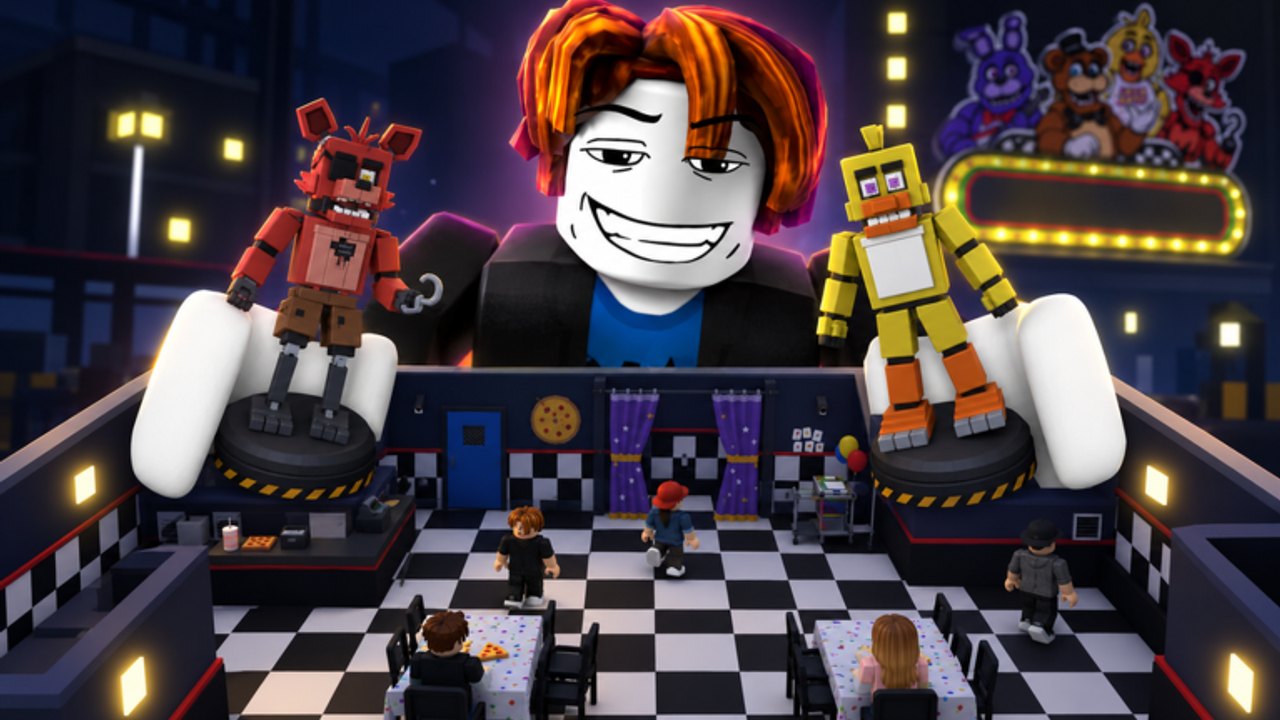
This Guides Hub is the map of every walkthrough on the Build Your FNAF Pizzeria wiki. The game by afton studio mixes tycoon building with FNAF flavor: construct a pizzeria maze from the building shop, connect rooms to unlock animatronic slots, place Freddy and friends to catch visitors for cash (even offline), explore other players’ mazes, and jump into night survival lobbies with cameras, doors, lights, and power. Max servers seat six players. Use the links below instead of bouncing through random tips videos.
New to the experience? Start with Getting Started — it includes a real gameplay video mid-article and a day-one checklist. Returning after a patch? Skim the Updates Hub then jump to the guide that matches your bottleneck (slots, cash, controls, or nights).
All guides
Getting Started
First-hour walkthrough: enter the place, open the building shop, connect rooms, buy your first animatronic, understand offline catching, and know when to join the Afton Studios group. Ideal if you just clicked Play on Roblox.
How to Build a Maze
Layout theory for hallways and rooms, why connected rooms unlock more animatronic slots, choke-point design, and mistakes that waste shop cash. Pair with the Maze Planning Checklist.
Earn Money Fast
Cash routes that actually scale: visitor pathing, offline catching, placement priority, group perks, and what not to buy early. Cross-check spends with the Tier List Hub.
Night Survival
Lobby survival to 6AM — cameras, doors, lights, power management, and teaming with up to six players. Pair with the Night Shift Update deep dive for October 2026-era lobby context.
Animatronics Guide
How to unlock and place animatronics, how slots work, and how roster choices feed income. Continue into the Players Hub and Animatronics Roster for identity-focused detail.
Controls & UI
Movement, building shop hotbar, hallway and room placement, animatronic shop, explore mode, and night lobby camera, door, light, and power panels — plus mobile versus PC tips.
Explore Mazes
How to enter your own and others’ mazes, scout visitor flow, and borrow choke-point ideas ethically so your offline catchers actually see traffic.
Join Afton Studios
Why some shop rows need the creator group, how to join community 101229013, when to rejoin the game, and how to avoid mistaking a group gate for a Robux prompt.
Recommended learning path
- Getting Started — tutorial + first catcher.
- Controls & UI — stop fighting the HUD.
- How to Build a Maze — connectivity before cosmetics.
- Join Afton Studios — clear group gates early.
- Animatronics Guide — fill every open slot wisely.
- Earn Money Fast — optimize offline income.
- Explore Mazes — steal structure, not clutter.
- Night Survival — when you want co-op horror pacing.
- Animatronics Tier Rankings — refine late buys.
Core systems these guides explain
- Building shop — Hallways and rooms form the maze you own.
- Connected rooms → slots — More connectivity means more animatronics you can deploy.
- Catching visitors — Animatronics generate money when they tag explorers; they keep working offline.
- Exploration — Visit your own maze and other players’ builds for inspiration (and rivalry).
- Group unlocks — Some purchases require membership in Afton Studios.
- Night lobbies — Classic FNAF-style resource juggling with friends.
Facts stay aligned with content/facts.json: released 19 September 2026 on Roblox, Simulation/Tycoon, place 113338086676197, universe 10767103918, visits roughly 1.05M, favorites about 21k, last update window 30 October 2026.
Cross links outside Guides
- Codes Hub — promo code status (honest empty list until drops appear)
- Scripts Hub — why we do not paste fake loadstrings
- Tier List Hub — S–C value ranks
- Players Hub — roster overview
- Tools Hub — checklists and trackers
- Maze Planning Checklist — printable-style audit
- Links Hub — official Roblox and group links
- Updates Hub — launch and patch timeline
Tips for using written guides
Read one section, then jump into the game and apply it before skimming the next chapter. Build Your FNAF Pizzeria rewards muscle memory: placing a hallway, testing visitor flow, and adjusting an animatronic beat reading ten more paragraphs. When a guide mentions an internal page, follow the markdown link — every path uses a trailing slash and stays locale-agnostic so language versions resolve correctly.
If a mechanic changes after an afton studio update, we revise the affected guide and note the shift on the Updates Hub. Spot a contradiction? Prefer the newest patch summary, then the specialized guide over older general advice.
Happy building — connect those rooms, fill those slots, and make every visitor trip pay.
Frequently Asked Questions
Quick answers about mazes, money, animatronics, and nights.
Which guide should I read first?
Start with Getting Started for the first hour, then Controls & UI and How to Build a Maze so your rooms actually unlock animatronic slots.
Do these guides cover night mode?
Yes. Night Survival explains cameras, doors, lights, power, and teaming to 6AM. The Night Shift Update page covers the October 2026-era lobby hub.
Where do I learn which animatronic to buy?
Use the Animatronics Guide plus the Tier List Hub and Animatronics Tier Rankings for cost-versus-catch advice.
Are the guides updated after patches?
We revise them when afton studio changes shop rules, slots, or night systems, and we log major changes on the Updates Hub.
Is there a video for beginners?
The Getting Started guide embeds a real Build Your FNAF Pizzeria gameplay video mid-article for visual learners.